
What Pages Does a Local Business Website Need?
Homepage, service pages, location pages, case studies, FAQs—find out which pages a local business website actually needs and which ones are just filler.
A homepage. An about page. Services. Contact.
Five pages. Done.
That is how a lot of small-business websites get planned.
It is also how a company offering six different services ends up trying to explain all six of them in twelve sentences on one page.
There is no correct number of pages for a local business website.
A plumber, lawyer, oilfield contractor, restoration company and physiotherapy clinic do not need the same website simply because they are all local businesses.
The right question is not:
How many pages should my website have?
It is:
What does a customer need to understand, and which searches does the business need a useful page for?
Those two questions usually tell you what belongs in the sitemap.
The short answer: what pages should a local business website have?
Most local businesses need some version of:
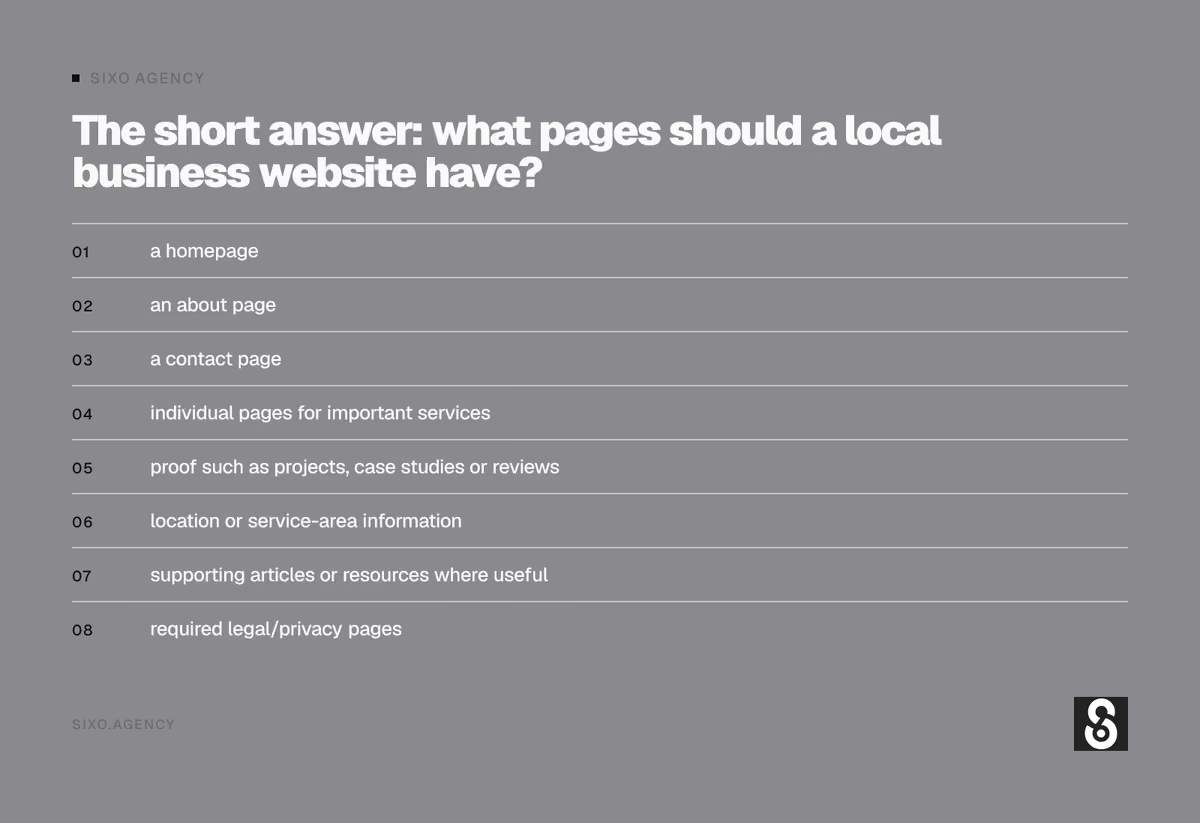
- a homepage
- an about page
- a contact page
- individual pages for important services
- proof such as projects, case studies or reviews
- location or service-area information
- supporting articles or resources where useful
- required legal/privacy pages
Some businesses need eight pages.
Some need 40.
Neither is inherently better.
Every page should have a job.
If you cannot explain why a page exists, it probably should not.
1. Your homepage
The homepage has one of the broadest jobs on the site.
Someone arriving there should quickly understand:
Who are you?
What do you do?
Where do you do it?
Why should I trust you?
What should I do next?
For a local business, that usually means establishing the company, core services and market early instead of opening with a vague slogan that could belong to anybody.
Compare these:
Quality you can trust.
versus:
Commercial HVAC installation and repair for businesses in Grande Prairie and the Peace Country.
One of those actually tells you something.
Your homepage does not need to explain every service in full.
It should introduce them and move visitors to the pages where those subjects are covered properly.
Think of the homepage as the front desk.
It should tell people they are in the right place and point them in the right direction.
It should not try to become the entire building.
2. Individual service pages
This is where many small-business websites become too small.
Suppose a plumbing company offers:
- drain cleaning
- water-heater replacement
- sewer repair
- furnace repair
- boiler installation
- emergency plumbing
Putting all of that on one page called Services may be convenient for whoever builds the website.
It is not necessarily convenient for the person searching for sewer repair.
That person does not want to investigate whether you happen to mention sewer repair halfway down a general page.
They want to know:
Do you fix this problem?
A dedicated service page gives you room to answer that properly.
It can explain:
- what the service is
- when someone needs it
- common problems
- how the work is performed
- relevant options
- service area
- proof
- frequently asked questions
- what to do next
It also gives each distinct service a clear place in the site’s architecture.
That is one of the fundamental ideas behind SEO web design: decide what the business needs to be understood for before compressing everything into a design.
[Internal link: SEO Web Design]
Does every service need its own page?
No.
This is where SEO advice can get silly.
If you list 47 tiny variations of essentially the same service, you probably do not need 47 pages.
Consider whether the subject is genuinely distinct.
A separate page makes more sense when:
- customers search for the service independently
- it solves a different problem
- it requires a meaningfully different explanation
- the buying decision is different
- you have enough useful information to make the page worthwhile
If two subjects would produce almost identical pages with only a couple of words changed, they probably belong together.
You are building a useful website.
Not completing a keyword spreadsheet.
3. Do you still need a main Services page?
Usually, yes.
But its role is different.
A Services page can act as a directory that explains the broader offer and points visitors toward individual service pages.
For example:
Services
Furnace Repair
Short explanation.
[Learn about furnace repair]
Air Conditioning
Short explanation.
[Learn about air conditioning]
Commercial HVAC
Short explanation.
[Explore commercial HVAC services]
That makes sense.
Trying to rank one Services page equally well for every one of those subjects is a much harder proposition.
The main Services page organizes the category.
The individual pages provide the depth.
4. Your About page
Small businesses often treat the About page as either an autobiography or something they need to fill because the web designer put “About” in the navigation.

It has a better job than that.
The About page helps answer:
Who am I hiring?
This matters especially for local businesses.
The customer may be inviting someone into a home, handing over keys, trusting them with equipment, hiring them for a large project or depending on professional advice.
Give them reasons to believe a real company exists behind the website.
Useful information can include:
- who started the business
- how long it has operated
- where it is based
- who works there
- relevant qualifications
- industries served
- how the company approaches its work
- real photography
- community involvement
- important memberships or certifications
Skip the corporate fiction.
A six-person Grande Prairie company does not need to describe itself as “a leading provider of innovative industry solutions committed to exceeding customer expectations.”
Tell people who you are.
That is more useful.
5. A proper Contact page
Your phone number in the footer is not a Contact page.
A good Contact page removes friction.
Depending on the business, include:
- phone number
- email or contact form
- street address
- service area
- business hours
- map
- directions
- booking option
- emergency instructions
- expected response time
- information the customer should provide
The page should also make it clear what happens after someone contacts you.
For example:
Send us the address, a short description of the work and a couple of photos. We will get back to you with the next step.
That is more useful than:
Please fill out the form below.
6. Service-area and location pages
This area gets abused constantly.
A company serves Grande Prairie, Clairmont, Sexsmith, Wembley and Beaverlodge.
So somebody creates:
- Plumbing Grande Prairie
- Plumbing Clairmont
- Plumbing Sexsmith
- Plumbing Wembley
- Plumbing Beaverlodge
Then copies the same 600 words to each page and changes the town name.
Technically, the website now has five location pages.
Practically, it has one page five times.
A location page should exist because there is something useful to say about serving that location.
That could include:
- services actually provided there
- local projects
- customer examples
- relevant service conditions
- travel or availability information
- location-specific FAQs
- photos
- testimonials
- neighbourhoods or areas served
- differences in how the service is delivered
If you cannot make the page useful to somebody in that community, adding the town name to the H1 is not going to fix it.
Do you need a Grande Prairie location page if the whole business is already in Grande Prairie?
Not necessarily.
If the homepage and core service pages already establish that the company is based in Grande Prairie, creating another generic page called Grande Prairie may add very little.
Location pages become more useful when the business has:
- multiple physical locations
- genuinely different markets
- substantial service presence outside its primary city
- useful local proof for those markets
Do not create architecture because somebody told you every city needs a page.
Build it because the page has a purpose.
7. Project and case-study pages
These are some of the most underused pages on local-business websites.
Businesses will spend six paragraphs telling visitors they provide “exceptional quality.”
A finished project can prove it in thirty seconds.
A good project or case-study page can show:
- the customer or project type
- the problem
- what work was required
- how it was approached
- complications
- equipment or materials used
- before-and-after photos
- outcome
- related services
- location
For contractors, restoration companies, web designers, landscapers, renovators and similar businesses, these pages can be especially useful.
They turn claims into evidence.
Instead of:
We have experience with commercial projects.
you can show:
Here are five commercial projects we completed.
That is a different level of credibility.
8. Reviews and testimonials
Do you need an entire Reviews page?
Sometimes.
If you have enough legitimate testimonials, a dedicated page can be useful.
But do not hide all of your proof there.
Reviews are often more useful next to the claim they support.
If a customer specifically praises your furnace-installation work, that review belongs on the furnace-installation page.
If someone talks about how quickly your emergency team responded, put that proof near the emergency service.
If a client talks specifically about your website generating calls from Google, that proof belongs beside your SEO or web-design claim.
Match the evidence to the statement.
A generic carousel containing the same three testimonials on every page is better than no proof.
Contextual proof is better.
9. FAQ pages
A dedicated FAQ page is not mandatory.
In many cases, questions work better on the pages they relate to.
If someone is reading about roof replacement and wants to know how long a roof replacement takes, answering that question on the roof-replacement page makes sense.
You can still maintain a broader FAQ section for company-wide questions such as:
- financing
- service area
- warranties
- hours
- booking
- estimates
But do not remove useful answers from service pages just so you can create one giant FAQ page.
Put information where people need it.
10. Pricing and cost pages
Not every business can publish fixed prices.
That does not mean you cannot discuss cost.
Cost is often one of the biggest questions a buyer has.
If the answer genuinely depends on the project, explain what changes it.
For example:
- size
- materials
- labour
- scope
- complexity
- urgency
- access
- options
- add-ons
A good cost guide helps customers understand what they are buying before asking for a quote.
It can also filter out people whose expectations are nowhere close to reality.
That is one reason we created our own guide to how much a website costs in Grande Prairie rather than pretending every website should fit into the same package.
[Internal link: How Much Does a Website Cost in Grande Prairie?]
11. Blog, journal or resource pages
A business does not need a blog because “Google likes fresh content.”
Publishing 300 words every Tuesday about nothing in particular is not a strategy.
Supporting content becomes useful when customers have questions that do not belong on your commercial service pages.
For example, a roofing company might publish:
- How long does an asphalt roof last in northern Alberta?
- Repair or replace: when is a roof too far gone?
- What causes ice dams?
- How much does roof replacement cost?
- Can a roof be replaced in winter?
Those questions support the main service without turning the roof-replacement page into a textbook.
Useful articles can also connect subjects across the site.
A cost article links to the relevant service.
A maintenance article links to repairs.
A comparison article links to both options being compared.
The content starts forming a useful structure rather than a pile of blog posts sorted by date.
12. Industry pages
Some businesses serve clearly different types of customers.

A web design company might work with:
- contractors
- automotive businesses
- oilfield companies
- professional services
- e-commerce businesses
An industrial supplier might work with:
- oil and gas
- forestry
- construction
- agriculture
- municipalities
An industry page can make sense when the customer’s needs genuinely change.
The oilfield company may care about equipment, safety, procurement and remote service.
The retail business may care about transactions, inventory and opening hours.
If the explanation is identical except for the industry name, you do not have an industry page.
You have another duplicate.
13. Team pages
Does every business need individual employee profiles?
No.
But there are industries where who performs the work matters greatly.
Think:
- law firms
- medical clinics
- accounting firms
- consulting companies
- financial services
- real estate
- technical specialists
In those cases, individual professional pages can establish experience and help customers decide who they want to work with.
A profile can include:
- role
- education
- qualifications
- specialties
- experience
- professional memberships
- real photograph
- relevant work
- contact information where appropriate
For a five-person contractor, separate employee biographies probably are not the highest priority.
Again, architecture follows the business.
14. Careers page
If you hire regularly, yes.
A Careers page can explain:
- what positions you hire for
- company culture
- qualifications
- benefits
- where work happens
- how to apply
If you have not hired anybody in five years and do not expect to soon, this probably does not need to occupy your main navigation.
15. Privacy policy and other required pages
Not every website page exists for marketing.
Depending on how the website operates, you may need pages dealing with:
- privacy
- cookies
- terms
- returns
- shipping
- accessibility
- warranties
- financing
- other legal or regulatory requirements
Exactly what you require depends on your business, jurisdiction and what information or transactions the website handles.
Those pages deserve appropriate legal guidance where required.
What about a one-page website?
A one-page website can be completely reasonable.
Suppose you have:
- one main service
- one market
- mostly referral traffic
- a limited budget
- no immediate plan to invest heavily in search
You may not need 20 pages.
A good one-page site can explain the business, show proof and make it easy to get in touch.
The limitation appears when you want the same page to perform several unrelated jobs.
If the business offers ten distinct services, operates in several markets and wants organic traffic for each of them, one page starts carrying too much weight.
One-page sites are not bad.
They are limited.
Sometimes those limits are perfectly acceptable.
How many service pages are too many?
There is no magic number.
The warning sign is repetition.
Suppose an HVAC company creates:
- Furnace Repair
- Furnace Fixing
- Furnace Repair Service
- Emergency Furnace Repair
- Residential Furnace Repair
- Local Furnace Repair
- Furnace Repair Grande Prairie
If every page explains essentially the same service, the architecture is solving an SEO spreadsheet instead of a customer problem.
One strong page may be the correct answer.
On the other hand:
- furnace repair
- furnace installation
- boiler installation
- air-conditioning repair
- commercial HVAC
are meaningfully different services.
Those can deserve different pages.
Think in topics and customer intent, not keyword variations.
Should every town you serve have its own page?
No.
Only build a location page when you can justify it.
Ask:
Do we actually work there?
Do customers there matter to us commercially?
Do we have local proof?
Can we add information that would genuinely help someone in that location?
Would this page still be useful if Google did not exist?
That last question catches a lot of bad location pages.
If the only reason a page exists is to repeat a city name twelve times, reconsider it.
What pages are most important for local SEO?
There is no single page type that magically creates local rankings.
But from a website-architecture standpoint, the most useful pages are generally the ones that make the business easy to understand:
- the homepage establishes the business and primary market
- service pages establish what the company actually does
- location information establishes where it operates
- About and proof pages establish who is behind it and what they have done
- useful supporting articles answer related questions
- internal links connect those subjects together
Google says information used in Business Profiles can come from multiple sources, including crawled content from the business’s official website. That is another reason the information on your website should clearly reflect the real business rather than being a collection of thin SEO pages.
The website should match the business
This is the part that gets lost when websites are sold as packages.

Five-page website
Homepage.
About.
Services.
Gallery.
Contact.
That can be perfectly good for one company.
It can be completely wrong for another.
Imagine a Grande Prairie restoration company offering:
- water damage restoration
- fire damage restoration
- mould remediation
- asbestos abatement
- emergency response
- reconstruction
Now put every service onto one Services page because the package came with five pages.
You did not simplify the business.
You hid most of it.
The sitemap should come after understanding the company.
Not before.
A practical example: local contractor website
A useful structure might look like:
Home
Broad company and market relevance.
About
Business, team, experience and trust.
Services
Overview of the service category.
Service 1
Full page.
Service 2
Full page.
Service 3
Full page.
Projects
Proof of completed work.
Individual project pages
Detailed examples.
Service Area
Where the company works.
Cost Guide
Commercial research question.
FAQs or Resources
Supporting customer questions.
Contact
Conversion.
That could be 12 pages.
It could become 30 over time.
There is nothing inherently excessive about that if every page has something useful to do.
Another example: small professional service business
A consultant with one primary service might need:
Home
Service
About
Case Studies
Resources
Contact
Six pages might be enough.
Adding fifteen service pages simply to make the website look bigger would not improve it.
Different business.
Different structure.
What should go in the main navigation?
Not every page needs to appear in the top menu.
The navigation should help customers reach the important parts of the site without turning into a directory of everything you have ever published.
A typical local-business navigation might include:
Services
with important services underneath.
About
Projects
Resources
Contact
Location pages, supporting articles, individual project pages and other deeper content can still be accessible through internal links without occupying the primary navigation.
A site can have 100 useful pages and a clean six-item menu.
Those are not contradictory.
Internal links are part of the architecture
Creating the right pages is only half the job.
They also need to connect.
A page about furnace replacement should naturally link to:
- financing if available
- relevant maintenance information
- furnace repair where appropriate
- related project examples
- contact or quote request
An article about furnace lifespan should link to furnace replacement when the discussion reaches replacement.
A project page should link to the service used on that project.
These links help visitors continue logically through the site.
They also make the relationship between pages clearer.
That is what good internal linking is supposed to do.
Not turn every occurrence of a keyword into a hyperlink.
Build the core first, then expand
A new website does not need every article, location page and case study finished before it launches.
Start with the pages required to explain and sell the business properly.
Usually that means:
- homepage
- core service pages
- about
- contact
- useful proof
Then identify what is missing.
Maybe customers keep asking about cost.
Write the cost guide.
Maybe one service has ten important questions.
Build supporting articles.
Maybe the company begins working heavily in another market.
Develop the location properly.
Maybe you complete a strong project.
Turn it into a case study.
A useful website grows because the business has more useful information to publish.
Not because somebody decided it needs four new blog posts this month.
How do you know if your current website has the wrong pages?
Start by looking for these problems:
- several important services share one thin page
- visitors cannot tell exactly what you offer
- your navigation is organized around company departments instead of customer needs
- important services have no dedicated landing page
- dozens of city pages say virtually the same thing
- your strongest projects exist only in a photo gallery
- common customer questions have nowhere useful to live
- blog articles do not connect to service pages
- important pages are buried several clicks deep
- the site has pages nobody can explain the purpose of
- you rank for the company name but little else
Those are architecture problems.
Changing fonts will not solve them.
Website design starts with deciding what deserves a page
This is why we do not like starting a website project by opening a design tool.
Before deciding what the homepage looks like, we want to know:
What does the business sell?
What are the important services?
Which of those deserve separate pages?
What do customers search for?
What questions need answers?
Where does the business actually operate?
What proof already exists?
What does the current website rank for?
What should not disappear during a rebuild?
Once those answers are clear, the sitemap becomes much easier to build.
Then design has something useful to organize.
That is the difference between designing a website and decorating one.
Not sure what pages your website needs?
You do not need to arrive with a sitemap.
That is part of the job.
If you already have a website, we can look at what is there, what is missing, what is getting found and whether important services are being squeezed into the wrong places.
If you are starting from scratch, we can map the site around the business before deciding how many pages the project needs.
Sometimes the answer is five.
Sometimes it is 25.
The number is not the goal.
The right structure is.
Sixo Agency — Web design in Grande Prairie, Alberta.
[Get a free website audit]
[Learn about SEO web design]
[Explore web design in Grande Prairie]


Free digital audit
Get found locally.
We'll run a free, no-strings audit of your website and Google Business Profile — and show you exactly what to fix first to win more local customers.