
Core Web Vitals for Local Business Websites: What Actually Matters?
Your website can look great and still frustrate the people trying to use it.
Your website can look great and still frustrate the people trying to use it.
A customer clicks your website from Google. The page takes several seconds to show anything useful. They tap the menu, but nothing happens. Then the layout shifts just as they try to press the phone number.
That customer may never contact you.
Core Web Vitals help measure some of the performance problems behind experiences like these. They focus on how quickly important content appears, how responsive the page feels, and whether the layout stays stable.
For a local business in Grande Prairie, those measurements matter. But they are not the whole picture.
A website with excellent performance scores can still fail to generate leads. A website with imperfect scores can still be useful, relevant, and successful.
The goal is not to chase a perfect score.
It is to build a website that loads efficiently, works properly on mobile, and makes it easy for customers to take the next step.
At Sixo Agency, that is part of how we approach SEO web design.
What Are Core Web Vitals?
Core Web Vitals are three measurements Google uses to evaluate important aspects of real-world website experience.
They measure loading performance, responsiveness, and visual stability.
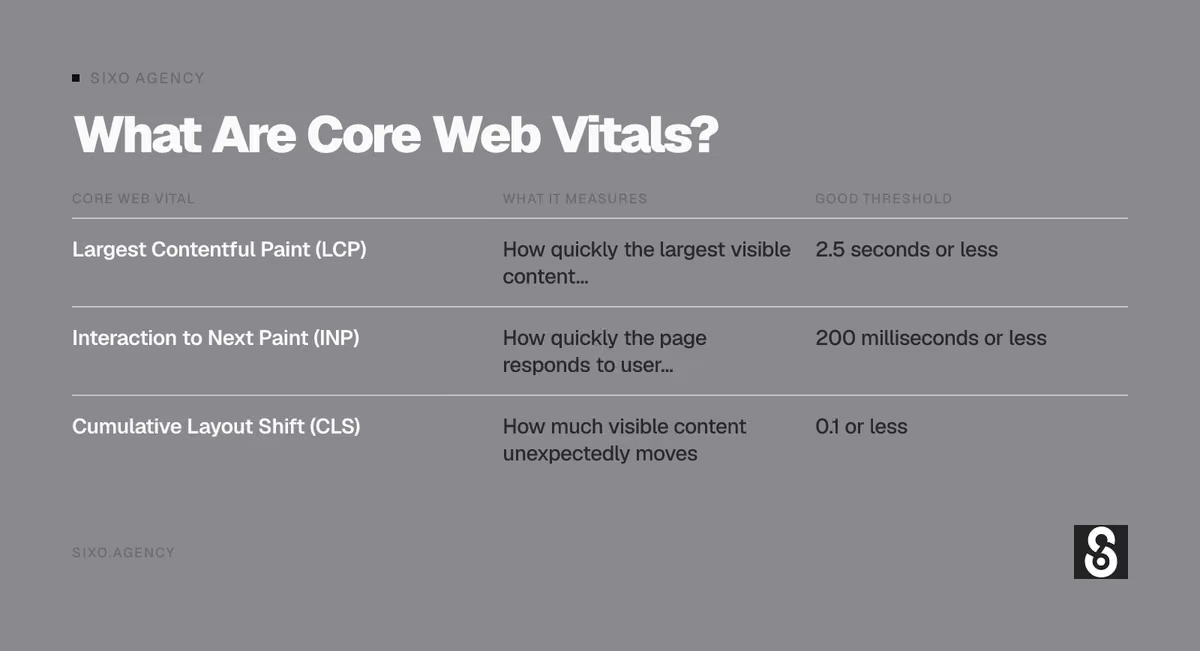
| Core Web Vital | What It Measures | Good Threshold |
|---|---|---|
| Largest Contentful Paint (LCP) | How quickly the largest visible content element loads | 2.5 seconds or less |
| Interaction to Next Paint (INP) | How quickly the page responds to user interactions | 200 milliseconds or less |
| Cumulative Layout Shift (CLS) | How much visible content unexpectedly moves | 0.1 or less |
Google evaluates these measurements using real-user data where available, generally at the 75th percentile of page visits, with mobile and desktop assessed separately.
These are not arbitrary website design preferences.
They describe problems that real customers can experience.
However, Core Web Vitals are only one part of Google’s broader page experience considerations. Meeting the thresholds does not guarantee better rankings, and failing them does not automatically prevent a page from ranking.
1. Largest Contentful Paint: How Quickly Does Your Page Show Something Useful?
Largest Contentful Paint measures how long it takes for the largest visible content element to appear in the viewport.
That element might be:
- A large heading
- A hero image
- A prominent content block
- A background image containing important visual content
Imagine someone searches for a roofing contractor in Grande Prairie.
They click a result.
The page opens, but the main heading and image take several seconds to appear.
The customer is left looking at an incomplete page.
That delay is what LCP helps measure.
What Is A Good LCP Score?
An LCP of 2.5 seconds or less is considered good.
Between 2.5 and 4 seconds needs improvement.
More than 4 seconds is considered poor.
What Causes Poor LCP?
Common causes include:
- Large, unoptimized hero images
- Slow server response
- Render-blocking CSS or JavaScript
- Excessive third-party scripts
- Poor caching
- Delayed image loading
- Heavy website themes
- Inefficient page-building systems
A common problem is placing an enormous image at the top of the homepage.
It might look excellent on a designer’s monitor.
But if the image is unnecessarily large, visitors may wait longer than they should.
How To Improve LCP
Start with the content people see first.
Compress and properly size important images.
Use modern image formats when appropriate.
Avoid delaying the main hero image unnecessarily.
Reduce scripts and styles that prevent important content from rendering.
Make sure the hosting environment can deliver pages efficiently.
The objective is straightforward: show the customer the information they came for without unnecessary delay.
2. Interaction To Next Paint: Does Your Website Respond When Someone Uses It?
Interaction to Next Paint measures how responsive a page is to user interactions.
It looks at interactions such as clicking, tapping, and typing, then measures the delay until the browser can present a visual response.
For a local business website, that might involve:
- Opening the mobile menu
- Expanding an FAQ
- Selecting a service
- Using a booking interface
- Interacting with a quote form
- Clicking a filter
- Changing a form field
Imagine someone opens your website on their phone.
They tap the menu.
Nothing happens immediately.
They tap again.
Then the menu opens and closes because the website is still processing the first interaction.
That is a frustrating experience.
What Is A Good INP Score?
An INP of 200 milliseconds or less is considered good.
Between 200 and 500 milliseconds needs improvement.
More than 500 milliseconds is considered poor.
What Causes Poor INP?
Common causes include:
- Excessive JavaScript
- Long-running browser tasks
- Complicated interactive elements
- Heavy third-party widgets
- Inefficient event handlers
- Too much work happening on the main browser thread
For small business websites, these problems sometimes come from features that were added without considering their performance cost.
A chat widget, animation library, booking tool, popup system, and several tracking scripts can all compete for browser resources.
Individually, they may seem harmless.
Together, they can make a website feel sluggish.
How To Improve INP
Review which scripts and interactive features are actually necessary.
Reduce unnecessary JavaScript.
Break up expensive browser tasks.
Use simpler interactions where possible.
Test important functions on mobile devices, not just a powerful desktop computer.
A customer should not need a high-end phone to open your navigation menu.
3. Cumulative Layout Shift: Does Your Website Move While Someone Is Using It?
Cumulative Layout Shift measures unexpected movement of visible page elements.
This is one of the easiest performance problems to recognize.
Imagine someone is about to tap the Request a Quote button.
Just before they touch it, a large image loads above the button.
The entire page moves.
They tap the wrong thing.
That is a layout shift.
What Is A Good CLS Score?
A CLS score of 0.1 or less is considered good.
Between 0.1 and 0.25 needs improvement.
More than 0.25 is considered poor.
What Causes Poor CLS?
Common causes include:
- Images without reserved dimensions
- Videos that load without reserved space
- Fonts that change text layout
- Banners inserted above existing content
- Embedded widgets that resize unexpectedly
- Advertisements or promotional elements that push content down
How To Improve CLS
Reserve space for images, videos, and embedded content.
Use appropriate image dimensions or aspect ratios.
Load fonts carefully.
Avoid inserting unexpected elements above content people are already reading.
Test how the website behaves while loading, not just how it looks once everything is finished.
A stable page is easier to read, navigate, and use.
Core Web Vitals Comparison: What Should A Local Business Fix First?
Not every performance issue has the same practical impact.
Use this table to connect the measurement to the problem a customer might experience.
| Problem | Core Web Vital | Customer Experience | What To Investigate |
|---|---|---|---|
| Main content appears slowly | LCP | Visitor waits to understand the page | Hero images, server response, render-blocking resources |
| Menu reacts slowly | INP | Visitor taps repeatedly | JavaScript, menu code, third-party scripts |
| Quote form feels unresponsive | INP | Visitor becomes frustrated | Form scripts, browser tasks, integrations |
| Button moves while loading | CLS | Visitor taps the wrong element | Image dimensions, banners, dynamic content |
| Headline shifts after fonts load | CLS | Page appears unstable | Font loading and layout |
| Large homepage image loads late | LCP | Page feels incomplete | Image optimization and loading priority |
If a customer cannot quickly see your services, navigate the website, or submit a form, fix that before worrying about decorative details.
4. Do Core Web Vitals Affect Google Rankings?
Yes, Core Web Vitals are used by Google’s ranking systems.

But their influence needs to be understood in context.
Google does not rank websites using a simple formula where the fastest website automatically wins.
Search relevance, content quality, usefulness, and many other signals remain important.
A plumbing website with excellent Core Web Vitals but almost no useful plumbing information is not automatically better than a slower website that answers the customer’s question.
Likewise, a well-written service page can still frustrate visitors if it takes too long to load.
Both content and performance matter.
Does A Perfect PageSpeed Score Guarantee Better Rankings?
No.
A score of 100 in PageSpeed Insights is not a guarantee of higher rankings.
PageSpeed Insights provides diagnostic information and performance measurements. Its Lighthouse performance score is not the same thing as Google’s organic ranking calculation.
Treat the score as a way to find problems.
Not as the final objective.
5. Core Web Vitals And Local SEO Are Connected, But Not Identical
A local business website has two important jobs.
First, it needs to help search engines understand the business and its services.
Second, it needs to help visitors become customers.
Core Web Vitals primarily measure aspects of the second experience, while also contributing to Google’s broader ranking systems.
For example, a Grande Prairie electrical contractor might have:
- A clear electrical services page
- Relevant local information
- Genuine project examples
- Strong internal linking
- Accurate business details
- A mobile-friendly contact form
That website has useful local search foundations.
But if the page is slow or difficult to interact with, visitors may leave before requesting a quote.
Improving performance helps the website serve the traffic it earns.
It does not replace the work required to establish local relevance.
We explain that broader relationship in How Website Design Affects Local SEO.
6. Mobile Performance Matters More Than A Desktop Screenshot
Many local searches happen on phones.
A customer may be searching from a job site, a vehicle, a parking lot, or their home.
They may also be using a slower connection or an older device.
A website that performs well on a desktop computer can behave differently on mobile.
Common mobile problems include:
- Oversized images
- Complicated navigation
- Heavy animations
- Slow interactive elements
- Large popups
- Difficult forms
- Excessive third-party scripts
- Buttons placed too close together
That is why testing only the desktop version is not enough.
A website should be evaluated under conditions that resemble how customers actually use it.
What Should You Test On Mobile?
Open the website on a phone and try to complete a real task.
For example:
- Find a specific service.
- Read the service information.
- Open the navigation menu.
- Find the phone number.
- Submit a test enquiry.
- Return to the homepage.
- Open another service page.
Pay attention to delays, movement, confusing navigation, and anything that makes the task harder.
A website can pass technical tests and still have usability problems that deserve attention.
7. How To Check Your Core Web Vitals
You do not need to guess whether your website has performance problems.
Google provides several tools that can help.
Google PageSpeed Insights
PageSpeed Insights analyzes a page and provides performance information.
It may show real-user data when enough information is available, along with Lighthouse diagnostic results from a simulated test.
You can use it to identify issues involving:
- Loading performance
- Responsiveness
- Layout stability
- Image optimization
- JavaScript
- Rendering
- Caching
Check both mobile and desktop.
Also remember that one test result does not describe every visitor’s experience.
Google Search Console
Search Console includes a Core Web Vitals report for verified properties when sufficient data is available.
It groups URLs based on available real-user performance data.
This can help identify patterns across a website rather than focusing on one page.
Chrome DevTools And Lighthouse
For more detailed troubleshooting, developers can use Chrome’s performance tools and Lighthouse.
These tools help investigate specific technical problems.
They are particularly useful when a page has heavy JavaScript, slow rendering, or unstable layouts.
Field Data Vs Lab Data
This distinction matters.
Field data comes from real users under real browsing conditions.
Lab data comes from controlled or simulated tests.
Both are useful, but they answer different questions.
Field data helps show what visitors have experienced.
Lab data helps diagnose why a page may be slow.
If the numbers differ, that does not automatically mean one tool is broken.
The measurements may be based on different devices, networks, sample periods, or test conditions.
8. Why Your Website Can Score Well And Still Feel Slow
A performance score does not measure everything about the customer experience.
For example, a website might load quickly but make people search through confusing menus.
Another website might display its content efficiently but require visitors to complete a complicated quote form.
A third might have good Core Web Vitals but use vague headings that never explain what the company actually does.
These are real website problems.
They are not necessarily Core Web Vitals problems.
That is why we evaluate website performance alongside:
- Navigation
- Service page clarity
- Content quality
- Mobile usability
- Calls to action
- Contact forms
- Internal linking
- Accessibility
- Conversion paths
A useful website needs more than a good technical score.
9. Common Website Features That Can Hurt Performance
Some features are worth their performance cost.

Others add complexity without helping the customer.
Large Background Videos
A background video can make a homepage visually interesting.
But it may also increase page weight, especially when it loads automatically on mobile.
Ask whether the video helps explain the business.
If it does not, a well-chosen image may be more useful.
Excessive Animations
Subtle motion can support a design.
But animations that delay content, distract visitors, or require large script libraries can create unnecessary problems.
A service business does not need every heading to fly onto the screen.
Multiple Tracking Scripts
Analytics, advertising pixels, call tracking, chat tools, and other integrations can add up.
Review what is installed.
Remove tools that are no longer used.
Configure necessary scripts carefully.
Heavy Page Builders
Some website builders and themes generate more code than the page needs.
That does not mean every page builder is bad.
It means the implementation matters.
A carefully built website using a common platform can perform well.
A poorly configured custom website can perform badly.
The technology alone does not determine the result.
Oversized Images
A high-resolution photograph may be appropriate for a portfolio.
It does not need to be delivered at its original full resolution to every mobile visitor.
Images should be sized for their actual display requirements.
10. Does Website Hosting Affect Core Web Vitals?
Yes, hosting can affect website performance.
A slow server can delay the delivery of the initial page and important resources.
That can contribute to poor loading performance.
Hosting-related factors may include:
- Server response times
- Caching configuration
- Available resources
- Traffic handling
- Content delivery
- Server location and network conditions
- Software configuration
But moving to a more expensive hosting plan will not automatically fix every performance issue.
If the website loads enormous images and runs excessive JavaScript, better hosting may not solve the underlying problem.
Performance depends on both the hosting environment and the website itself.
Sixo provides website hosting as part of supporting business websites after launch.
11. Should You Redesign Your Website To Fix Core Web Vitals?
Not necessarily.
Many performance problems can be improved without replacing the entire website.
For example:
- Compressing oversized images
- Removing unnecessary scripts
- Improving caching
- Fixing image dimensions
- Optimizing fonts
- Updating inefficient components
- Improving server configuration
Those changes may be enough.
A redesign becomes more reasonable when performance problems are tied to broader structural issues.
That might include an outdated platform, difficult-to-maintain code, excessive plugin dependencies, or a layout that performs poorly across mobile devices.
Even then, the decision should account for existing SEO performance.
A redesign that improves speed but deletes valuable service pages is not automatically an improvement.
Read our Website Redesign SEO Checklist before making major changes.
12. What Should A Small Business Fix First?
Start with problems that affect customers and important pages.
Do not begin by optimizing a low-traffic article while your main service page takes too long to load.
Here is a practical order of operations.
| Priority | What To Fix | Why |
|---|---|---|
| 1 | Broken contact forms or unusable navigation | Customers cannot complete important actions |
| 2 | Extremely slow homepage or service pages | Visitors may leave before seeing useful content |
| 3 | Major mobile interaction delays | Menus and forms become frustrating |
| 4 | Large unexpected layout shifts | Visitors can lose their place or tap incorrectly |
| 5 | Oversized images and unnecessary scripts | Often create avoidable loading costs |
| 6 | Repeated performance issues across page templates | Fixing shared components can improve many pages |
| 7 | Smaller technical refinements | Useful once major problems are resolved |
This is a business-priority framework, not Google’s ranking formula.
The best order depends on what is actually wrong with the website.
13. Core Web Vitals Checklist For Local Business Websites
Use this checklist when reviewing your website.

| Area | What To Check |
|---|---|
| Homepage | Main content appears without a long delay |
| Service pages | Important headings and images load efficiently |
| Mobile navigation | Menus respond promptly |
| Contact forms | Fields and buttons work without noticeable delays |
| Images | Proper dimensions and optimized file sizes |
| Fonts | Text does not shift unexpectedly |
| Videos | Media does not block important content |
| Third-party scripts | Unnecessary scripts are removed |
| Hosting | Server response and caching are appropriate |
| LCP | Aim for 2.5 seconds or less |
| INP | Aim for 200 milliseconds or less |
| CLS | Aim for 0.1 or less |
| Search Console | Review available Core Web Vitals reports |
| PageSpeed Insights | Investigate mobile and desktop results |
| Real devices | Test important customer journeys |
The checklist is a starting point.
It does not replace testing the actual website.
14. How Core Web Vitals Support Better Lead Generation
Imagine a local restoration company receives 500 website visits in a month.
Some visitors arrive through organic search.
Others come from Google Business Profile, referrals, or advertising.
If the website is slow, confusing, or difficult to use, some potential customers may leave before contacting the company.
Improving performance can reduce unnecessary friction.
But speed alone does not guarantee more leads.
The website still needs:
- Clear service descriptions
- Relevant calls to action
- Trustworthy business information
- Genuine examples of completed work
- Straightforward contact options
- Useful answers to customer questions
Performance supports conversion.
It does not replace the reasons someone chooses the business.
That is why web design and performance optimization should be considered together.
15. Core Web Vitals And AI Search
AI search systems can surface and reference information from websites, but Core Web Vitals are not a guaranteed route into AI-generated answers.
There is no established rule that a website must achieve a particular LCP, INP, or CLS score to be cited by an AI assistant.
For AI search visibility, the more useful priorities are making content accessible, accurate, clearly structured, and relevant to the questions people ask.
Technical performance still matters to the people who visit your website after discovering it.
A useful approach combines:
- Clear explanations of services and technical concepts
- Direct answers to common questions
- Genuine business and project information
- Relevant internal links
- Accessible, crawlable content
- Reliable website performance
For Sixo, this means creating articles that answer real business questions while maintaining a website that is easy to use.
We should not sacrifice the customer experience to chase speculative AI ranking signals.
When To Contact Sixo Agency
If your business website loads slowly, feels unresponsive on mobile, or shifts around while visitors are trying to use it, the problem is worth investigating.
You may not need a new website.
You may need better image optimization, fewer scripts, improved hosting, or repairs to specific components.
Other websites need more substantial changes.
Sixo Agency works with Grande Prairie businesses on web design, SEO-focused website development, performance, hosting, and website audits.
We look at the problems affecting the website before recommending what to change.
Explore SEO web design services
Quick Summary
Core Web Vitals measure three important parts of website experience: loading performance, responsiveness, and visual stability.
Largest Contentful Paint measures how quickly the main visible content appears.
Interaction to Next Paint measures how responsive the page feels when someone interacts with it.
Cumulative Layout Shift measures unexpected movement of page elements.
Google considers Core Web Vitals within its ranking systems, but perfect scores do not guarantee higher rankings.
For local businesses, the practical goal is a website that loads efficiently, works properly on mobile, and makes it easy for customers to contact the company.
Fix serious usability and performance problems before chasing small improvements to a diagnostic score.
FAQs About Core Web Vitals For Local Business Websites
What Are Core Web Vitals?
Core Web Vitals are Google’s measurements of loading performance, responsiveness, and visual stability. The three metrics are Largest Contentful Paint, Interaction to Next Paint, and Cumulative Layout Shift.
What Is A Good Core Web Vitals Score?
Good thresholds are LCP of 2.5 seconds or less, INP of 200 milliseconds or less, and CLS of 0.1 or less, generally evaluated at the 75th percentile of real-user visits.
Do Core Web Vitals Affect SEO?
Yes. Google uses Core Web Vitals in its ranking systems, but they are only part of a broader set of considerations. Strong content and search relevance remain important.
Does A Perfect PageSpeed Score Help My Website Rank Higher?
A perfect PageSpeed Insights score does not guarantee higher rankings. The tool is useful for identifying performance problems, but its Lighthouse score is not a direct ranking formula.
Can A Slow Website Hurt Lead Generation?
Yes. Slow loading, delayed interactions, and unstable layouts can make it harder for visitors to find information or contact your business. Improving performance can remove some of that friction.
Do I Need A New Website To Improve Core Web Vitals?
Not always. Many problems can be improved through image optimization, caching, script reduction, and targeted technical fixes. A redesign may make sense when the underlying website has broader problems.
Does Website Hosting Affect Core Web Vitals?
Yes. Hosting can affect server response and content delivery, which influence loading performance. However, hosting alone cannot fix every issue caused by the website’s code, images, or scripts.
Are Core Web Vitals Important For Google AI Overviews And ChatGPT Search?
There is no established Core Web Vitals threshold that guarantees inclusion in AI-generated answers. Clear, useful, accessible content remains important, while good performance supports the visitor experience.
Can Sixo Agency Help Improve Website Performance?
Yes. Sixo Agency provides web design, SEO-focused website development, hosting, and website audits for businesses in Grande Prairie and the Peace Country


Free digital audit
Get found locally.
We'll run a free, no-strings audit of your website and Google Business Profile — and show you exactly what to fix first to win more local customers.