
Website Redesign SEO Checklist: How To Rebuild Without Losing Rankings
Redesigning your business website? Follow this SEO checklist to protect important pages, preserve URLs, plan redirects, and avoid losing search visibility.
Website Redesign SEO Checklist: How To Rebuild Without Losing Rankings
A website redesign can make your business look better, load faster, and generate more leads.
It can also damage your search visibility if important pages disappear, URLs change without redirects, or the new website launches with technical problems.
That is the part many business owners do not think about until traffic starts dropping.
A redesign should improve the website without throwing away the search visibility the existing site has already earned.
For Grande Prairie businesses, that means protecting important service pages, local information, internal links, and the paths customers use to find the company.
Sixo Agency approaches website redesigns as more than a visual update.
The goal is to build a better website while preserving what already works.
Learn about website redesign in Grande Prairie

Can A Website Redesign Hurt Your SEO?
Yes.
A redesign can affect SEO when it changes how search engines discover, understand, and access your content.
Common problems include:
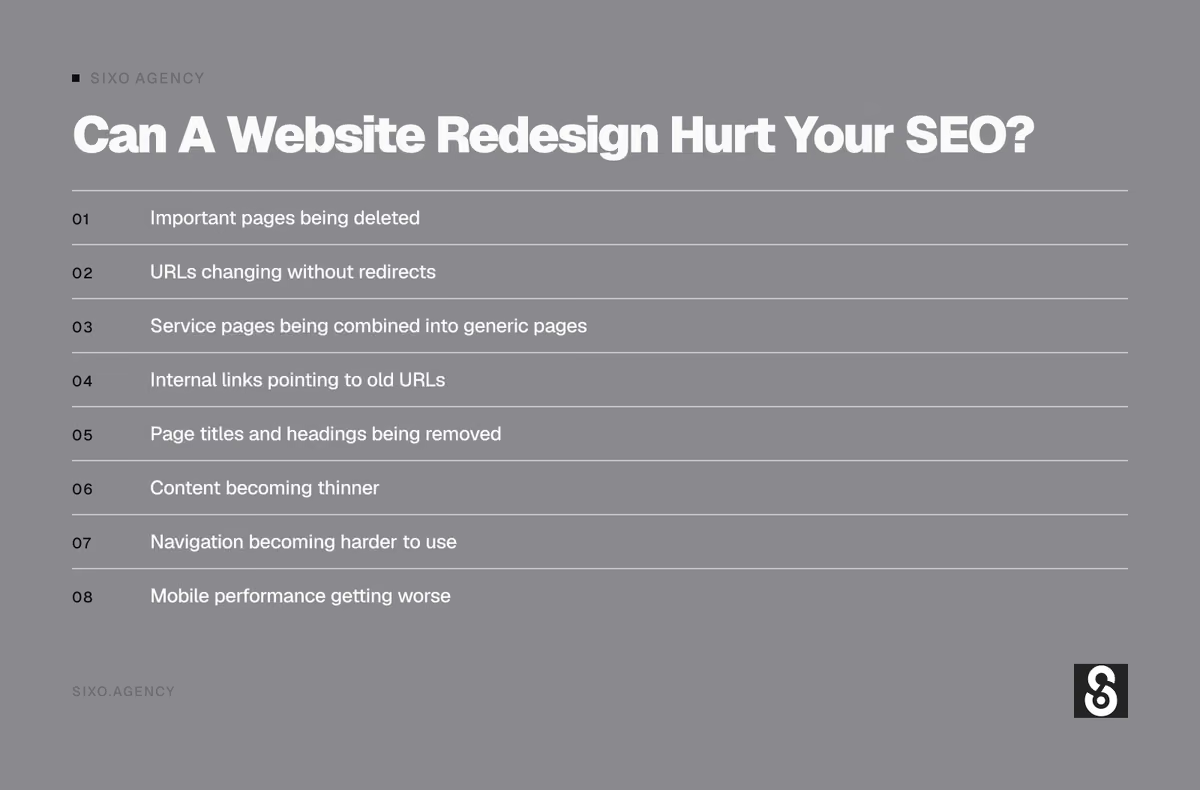
- Important pages being deleted
- URLs changing without redirects
- Service pages being combined into generic pages
- Internal links pointing to old URLs
- Page titles and headings being removed
- Content becoming thinner
- Navigation becoming harder to use
- Mobile performance getting worse
- Pages being blocked from indexing
- Canonical tags pointing to the wrong URLs
- The new site launching with broken links
Not every redesign causes a ranking drop.
And not every change in traffic after launch is caused by the redesign.
But the more you change at once, the more carefully the project needs to be planned.
1. Audit Your Existing Website Before Changing Anything
The first step is understanding what you already have.
Do not start by deleting pages because they look old.
Some of those pages may be bringing in the exact customers your business wants.
Before a redesign, review:
- Existing URLs
- Important service pages
- Organic search traffic
- Search queries
- Pages receiving enquiries
- Backlinks to important pages
- Internal links
- Page titles and descriptions
- Indexing status
- Mobile usability
- Website speed
- Existing conversion paths
A website audit gives you a starting point.
Without one, it is difficult to tell whether the new website actually improved anything.
Get a website audit from Sixo Agency
2. Identify Which Pages Already Perform Well
Not every page has equal value.
Some pages may generate traffic.
Others may generate leads.
A page with modest traffic but strong conversion performance may be more valuable than a blog post receiving hundreds of visits from people who will never become customers.
For a local service business, pay particular attention to:
- Homepage
- Primary service pages
- High-value secondary service pages
- Location pages
- Contact page
- Project or case study pages
- Articles attracting relevant local searches
Use available information from Google Search Console, website analytics, and actual business enquiries.
Do not judge every page by traffic alone.
A page about a specialized service may receive fewer visits but attract better leads.
3. Make A Complete List Of Existing URLs
Before the redesign begins, create a list of the website’s current URLs.
This is your URL inventory.
For a small business website, it might include:
| Existing Page | Current URL | Redesign Decision |
|---|---|---|
| Homepage | / |
Keep |
| Main services | /services/ |
Keep or improve |
| Furnace repair | /furnace-repair/ |
Preserve if valuable |
| Furnace installation | /furnace-installation/ |
Preserve if valuable |
| About | /about/ |
Keep |
| Contact | /contact/ |
Keep |
| Old promotion | /spring-special-2022/ |
Review for removal or redirect |
These are illustrative URLs, not Sixo’s site structure.
Every existing page should have a clear decision:
- Keep the URL and improve the page
- Move the content to a new URL
- Combine it with a relevant page
- Remove it because it no longer serves a purpose
The decision should be based on the page’s value and relevance, not simply whether the designer likes the old layout.
4. Keep Important URLs When Possible
One of the simplest ways to reduce migration risk is to preserve important URLs.
If your current page ranks for a valuable service, changing its address without a good reason adds unnecessary work.
For example:
Existing URL: /commercial-roofing/
Proposed new URL: /our-services/roofing-solutions/commercial-roofing-services/
The longer URL is not automatically better.
If the original URL is clear, relevant, and established, keeping it may be the smarter choice.
A redesign does not require every page address to change.
New design. Better content. Same useful URL.
That is often a good outcome.
5. Plan Redirects Before Launch
Sometimes URLs genuinely need to change.
A service may be renamed.
Two pages may be combined.
The website may move to a different structure.
When that happens, plan redirects before the new website goes live.
A permanent redirect tells browsers and search engines that a page has moved to a new address.
For ordinary permanent page moves, a server-side 301 redirect is generally appropriate.
Here is a simple example:
| Old URL | New URL | Action |
|---|---|---|
/old-web-design/ |
/website-designer/ |
301 redirect |
/website-services/ |
/website-designer/ |
301 redirect |
/old-contact-page/ |
/contact/ |
301 redirect |
/services/seo-old/ |
/internet-marketing-service/local-seo/ |
301 redirect |
These are example mappings, not instructions to change Sixo’s existing URLs.
The important point is that each old URL should lead to the most relevant new destination.
Do not redirect every deleted page to the homepage.
That creates a poor experience and may not preserve the value of the original page.
6. Do Not Delete Service Pages Just To Simplify Navigation
This is one of the most common redesign mistakes.
A business has separate pages for several important services.
The new design combines everything into one page because it looks cleaner.
The result may be easier to navigate visually, but it can also remove useful service information.
Imagine an automotive business with separate pages for:
- Brake repair
- Oil changes
- Tire services
- Wheel alignments
- Vehicle inspections
The redesign replaces all five with a single page titled Automotive Services.
That page contains one paragraph about each service.
Customers now have less information.
Search engines also have less specific content to evaluate for individual service searches.
A cleaner design should not require weaker content.
You can simplify navigation while keeping useful service pages.
We explain the broader page structure in What Pages Does a Local Business Website Actually Need?.
7. Protect Your Most Important Content
A redesign is a good opportunity to improve writing.
It is not a reason to remove useful information indiscriminately.
Before rewriting a page, identify what makes it valuable.
That may include:
- Clear service descriptions
- Frequently asked questions
- Pricing explanations
- Project examples
- Location information
- Technical details
- Photos of completed work
- Customer testimonials
- Helpful internal links
Keep the information that helps visitors understand the service.
Improve sections that are outdated, repetitive, or unclear.
Add missing details where appropriate.
The objective is better content, not simply shorter content.
8. Keep Page Titles And Headings Relevant
A redesign often introduces new visual components.
During that process, page titles and headings can be accidentally replaced with vague marketing language.
For example, a page previously titled:
Commercial Roofing Services in Grande Prairie
Might become:
Built For What Matters
That may sound good in a design presentation.
But it does not tell a new visitor what the page is about.
A stronger approach is to preserve clear subject information while improving the writing.
Review:
- SEO title tags
- H1 headings
- H2 section headings
- Meta descriptions
- Image alt text
- Internal link text
Your page should make its purpose obvious.
That is useful for customers and search engines.
9. Review Internal Links Before And After The Redesign
Internal links connect related pages on your website.
They help visitors move from general information to specific services.
They also help search engines discover pages and understand relationships between them.
During a redesign, internal links can break when:
- URLs change
- Navigation changes
- Old pages are removed
- Blog posts are migrated
- Footer links are replaced
- Service categories are reorganized
For example, a blog article about website pricing should still link naturally to the relevant web design service.
An article about local search should connect to local SEO and SEO-focused website design.
At Sixo, our article How Much Does A Website Cost In Grande Prairie? supports the broader website design topic.
That relationship should survive a redesign.
Do not rely on redirects to fix every internal link.
Where possible, update internal links to point directly to the correct final URL.
10. Do Not Forget Your Blog Content
Business owners often focus on the homepage and service pages during a redesign.
The blog gets treated as an afterthought.
That can be a mistake.
Some articles may answer valuable questions, attract links, or introduce potential customers to your services.
Before migrating the blog, review:
- Article URLs
- Existing headings
- Publication dates
- Images
- Internal links
- Categories
- Canonical tags
- Indexing status
- Structured data
- Related article links
Preserve useful articles.
Update outdated content when necessary.
Redirect articles only when there is a relevant destination.
If an article is genuinely obsolete and has no suitable replacement, removing it may be appropriate.
The goal is not to keep every old post forever.
It is to avoid losing useful content by accident.
11. Check Mobile Design Before Launch
Many local customers discover businesses on their phones.
That means mobile usability is not a finishing touch.
It should be part of the redesign from the beginning.
Check:
- Navigation menus
- Phone number visibility
- Contact buttons
- Forms
- Text readability
- Image sizing
- Layout shifts
- Page loading
- Service page navigation
- Footer links
A desktop design can look excellent while the mobile version is difficult to use.
Test real pages on real devices when possible.
Do not assume a responsive template automatically provides a good mobile experience.
12. Improve Website Speed Without Sacrificing Usability
A redesign is an opportunity to remove unnecessary weight from the website.
Large images, excessive scripts, complicated animations, and poorly configured plugins can slow pages down.
Review:
- Image sizes and formats
- Video loading
- Fonts
- JavaScript
- Third-party scripts
- Caching
- Hosting performance
- Layout stability
- Mobile loading
Google’s Core Web Vitals are useful measurements of loading performance, responsiveness, and visual stability.
But they are not the entire SEO strategy.
A fast page with weak content is still a weak page.
A technically impressive website that nobody can navigate is not a success.
The objective is a fast, useful website that helps customers take action.
13. Check Indexing Settings Before Launch
This is one of the most important technical checks.
Development and staging websites are often blocked from search engines.
That is usually intentional.
The problem happens when those restrictions remain on the live website.
Before launch, verify:
- Important pages are indexable
- Robots.txt is configured correctly
- Noindex tags are not accidentally applied
- Canonical tags point to the correct URLs
- Important pages return successful HTTP responses
- XML sitemaps contain the intended URLs
- Internal links lead to live pages
A beautiful website cannot perform well in organic search if its important pages are blocked from indexing.
14. Test The New Website Before Replacing The Old One
Do not wait until launch day to discover broken pages.
A proper pre-launch review should test the website as a working system.
That includes:
- Main navigation
- Service pages
- Contact forms
- Phone links
- Email links
- Mobile layouts
- Redirects
- Images
- Page titles
- Canonical tags
- Structured data
- Analytics tracking
- Search Console verification
- Sitemap generation
If the redesign includes booking tools, payment features, customer portals, or other custom functionality, test those workflows too.
Learn about website development at Sixo.
15. Use A Pre-Launch SEO Checklist
Here is a practical checklist to review before the new website goes live.
| Check | Why It Matters |
|---|---|
| Existing URLs inventoried | Prevents important pages from being overlooked |
| High-value pages identified | Protects useful traffic and leads |
| URL changes mapped | Makes redirects easier to implement |
| 301 redirects prepared | Sends old URLs to relevant new pages |
| Important service content retained | Preserves useful topic coverage |
| Titles and headings reviewed | Keeps page subjects clear |
| Internal links updated | Reduces broken navigation |
| Mobile layouts tested | Improves usability |
| Website speed checked | Helps loading and responsiveness |
| Indexing settings verified | Prevents accidental blocking |
| Forms and calls tested | Protects lead generation |
| Analytics configured | Supports post-launch measurement |
| XML sitemap prepared | Helps discovery of intended URLs |
A redesign is not ready simply because the homepage looks finished.
The important pages and workflows need to work.
16. What To Do On Website Launch Day
Launch day should be controlled.
Once the new website is live:
- Confirm the correct site is loading.
- Check important pages.
- Test the main navigation.
- Test phone links and contact forms.
- Verify redirects.
- Check indexing settings.
- Confirm canonical tags.
- Submit the updated XML sitemap in Google Search Console.
- Verify analytics is collecting data.
- Check the website on mobile.
Do not assume everything worked because the homepage loaded.
Test the pages that matter to the business.
17. Monitor SEO After The Redesign
A website redesign is not finished the moment it launches.
Monitor the website afterward.
Watch for:
- Organic traffic changes
- Search impressions
- Search clicks
- Indexing errors
- Broken pages
- Redirect problems
- Unexpected canonical changes
- Important keyword visibility
- Contact form submissions
- Phone enquiries
- Conversion rates
Some temporary fluctuation can happen after significant website changes.
But a sustained decline should be investigated.
Compare the new website with the old one using meaningful data.
Consider seasonality, demand changes, and other factors before blaming every movement on the redesign.
18. What If Your Rankings Drop After A Redesign?
Start by checking what changed.
Do not immediately rewrite the entire website again.
Investigate:
- Missing or redirected pages
- Incorrect redirect destinations
- Noindex tags
- Robots.txt restrictions
- Canonical errors
- Broken internal links
- Lost content
- Changed page titles
- Server errors
- Slow or unstable pages
- Tracking problems
Look at the affected pages and queries in Google Search Console.
A sitewide technical problem requires a different response than one service page losing visibility.
Find the cause before making more changes.
19. Website Redesign Vs Starting From Scratch
Not every business needs a complete rebuild.
Sometimes the existing website has a good structure but needs visual improvements.
Sometimes the design is acceptable, but the content and service pages are weak.
Other times, the underlying platform or code creates enough problems that rebuilding is reasonable.
| Situation | Improvement May Be Enough | Full Redesign May Make Sense |
|---|---|---|
| Outdated colours and typography | Yes | Not necessarily |
| Weak homepage messaging | Often | Sometimes |
| Slow loading | Sometimes | If underlying issues are extensive |
| Poor mobile experience | Sometimes | If layout needs major changes |
| Missing service pages | Add or improve pages | Not always |
| Confusing navigation | Often | If architecture needs rebuilding |
| Outdated platform | Sometimes | If maintenance or security is difficult |
| Broken custom functionality | Depends on the issue | Sometimes |
| Strong SEO performance | Preserve what works | Redesign carefully |
A redesign should solve actual business problems.
It should not create new ones simply because the old website looks dated.
20. How Much Does An SEO-Friendly Website Redesign Cost?
The cost depends on how much work is involved.
A small visual refresh is different from rebuilding a website with dozens of service pages, custom functionality, and a complicated URL migration.
Cost factors include:
- Number of pages
- Content rewriting
- Design complexity
- Platform changes
- Redirect planning
- Technical SEO work
- Custom functionality
- Image and media requirements
- Testing
- Ongoing support
A low-cost redesign that removes valuable pages or breaks lead forms can become expensive later.
The right quote should account for both the new website and the work required to protect the existing one.
For broader pricing context, read How Much Does A Website Cost In Grande Prairie?.
When To Contact Sixo Agency
If your website looks outdated, loads slowly, is difficult to use, or no longer represents your business properly, a redesign may be worth considering.
But the first step should be understanding what already works.
Sixo Agency provides website redesign, web design, SEO-focused website architecture, and website audits for businesses in Grande Prairie and the Peace Country.
We look at existing pages, content, site structure, and lead-generation paths before deciding what needs to change.
The goal is a website that looks better, works better, and preserves the search visibility you have already built.
Learn about website redesign services
Quick Summary
A website redesign can improve design, performance, usability, and lead generation.
But it can also damage SEO if important pages are removed, URLs change without redirects, or the new site launches with technical problems.
Before redesigning, audit the existing website, identify valuable pages, preserve useful URLs, and plan redirects.
During the rebuild, protect important content, internal links, mobile usability, and technical SEO settings.
After launch, monitor search performance and fix problems quickly.
A successful redesign should improve the website without discarding what already works.
FAQs About Website Redesign And SEO
Can Redesigning My Website Hurt My Google Rankings?
Yes. A redesign can affect rankings if important pages are removed, URLs change without redirects, content becomes weaker, or technical issues prevent search engines from accessing pages.
Will I Lose SEO If I Change My Website Design?
Not necessarily. A visual redesign that preserves important URLs, content, and technical settings may have relatively little SEO disruption. Larger structural changes require more planning.
Should I Keep The Same URLs During A Website Redesign?
Keep important URLs when practical. If a URL must change, use an appropriate permanent redirect to the most relevant new page.
How Long Does SEO Take To Recover After A Website Redesign?
There is no fixed recovery period. Some changes are processed relatively quickly, while larger migrations may take longer. The outcome depends on what changed and whether technical problems are present.
Should I Delete Old Blog Posts During A Redesign?
Not automatically. Review whether each article attracts relevant traffic, earns links, supports important services, or provides useful information. Keep, improve, consolidate, or remove pages based on their value.
Do I Need A New Website If My Current One Is Slow?
Not always. Speed problems may be caused by images, scripts, plugins, hosting, or other issues that can be improved without a full rebuild.
What Is The Most Important SEO Step Before A Website Redesign?
Audit the existing website and identify important URLs, content, traffic sources, and lead-generating pages before making changes.
Can Sixo Agency Redesign My Website Without Losing SEO?
Sixo Agency can plan a redesign around preserving important URLs, content, internal links, and technical SEO settings. No agency can guarantee unchanged rankings, but careful planning helps reduce avoidable migration risks.

Free digital audit
Get found locally.
We'll run a free, no-strings audit of your website and Google Business Profile — and show you exactly what to fix first to win more local customers.